

Audit Logs
RudderStack's Audit Logs feature gives you complete transparency into the user activities happening within your RudderStack workspace. These activities include user actions related to creating and modifying sources, destinations, transformations, teams, and multi-factor authentication (MFA).

Accessing the audit logs
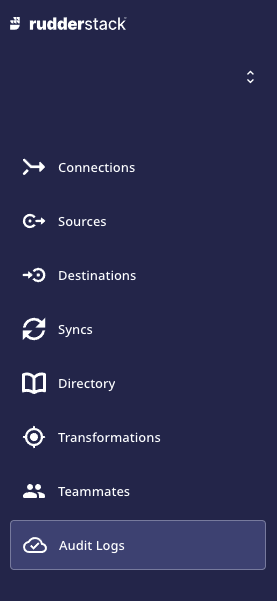
You can access the workspace-specific audit logs by clicking on the Audit Logs option in the left sidebar of the dashboard, as shown:
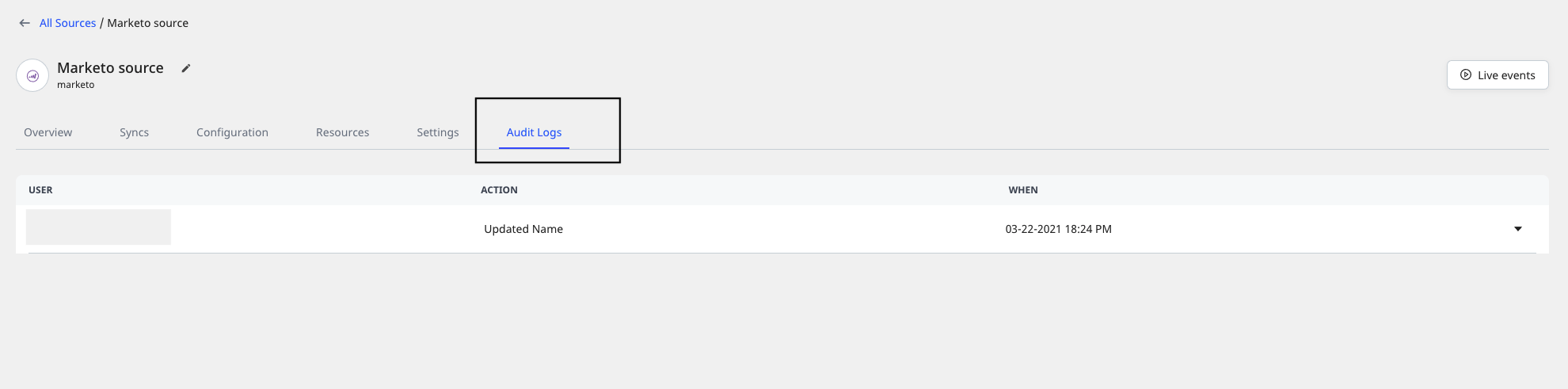
For audit logs related to a specific source or destination, you can go to the source/destination details page and click on the Audit Logs option, as shown:
Audit logs details
The audit logs capture the following information:
- User: Name and email of the user who is a part of the RudderStack workspace.
- Action: Corresponds to the user action performed on the entity.
- Target: Corresponds to the entity name, i.e. name assigned to the source, destination, transformation, etc.
- Type: Corresponds to the entity type, i.e. source, destination, transformation, teammate, etc.
- When: The timestamp when the user action was performed.
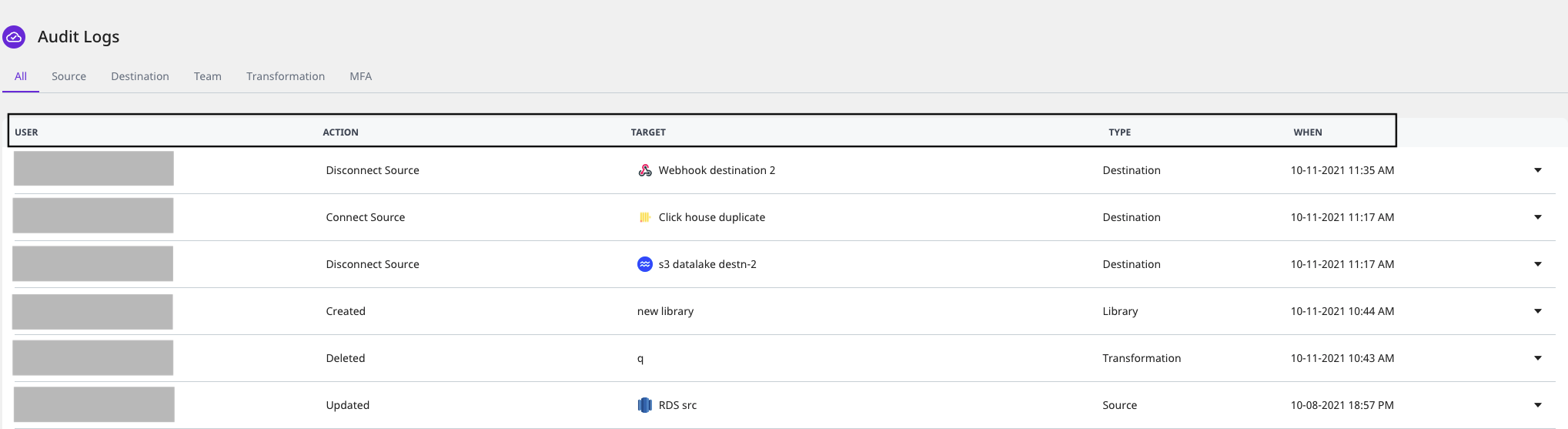
The following sections detail the various user actions captured by the audit logs based on the target type, i.e. sources, destinations, transformations, teams, or MFA (multi-factor authentication).
Source audits
| Action | Description |
|---|---|
| Created | User created a source in the dashboard. |
| Updated | User updated the source settings in the dashboard. |
| Updated Name | User updated the source name in the dashboard. |
| Deleted | User deleted the source from the dashboard. |
Destination audits
| Action | Description |
|---|---|
| Created | User created a destination in the dashboard. |
| Updated | User updated the destination settings in the dashboard. |
| Updated Name | User updated the destination name in the dashboard. |
| Deleted | User deleted the destination from the dashboard. |
| Connect Source | User connected a source to the destination. |
| Disconnect Source | User disconnected a source from the destination. |
| Added Transformation | User added a transformation to the destination. |
| Deleted Transformation | User removed/disconnected a transformation from the destination. |
Transformation audits
| Action | Description |
|---|---|
| Created | User created a new transformation in the dashboard. |
| Updated | User updated the transformation. |
| Deleted | User deleted the transformation from the dashboard. |
Team audits
| Action | Description |
|---|---|
| Invited | User invited a new user to join the current RudderStack workspace. |
| Accepted | The new user accepted the invitation to join the workspace. |
| Cancelled | User cancelled the invitation to join the workspace. |
| Changed Permission | User changed the permissions for a specific user (identified by userId) in the workspace. |
| Deleted | User removed/deleted a user(identified by userId) from the workspace. |
Multi-Factor Authentication(MFA) audits
| Action | Description |
|---|---|
| Enabled MFA | User enabled MFA for his account. |
| Disabled MFA | User disabled MFA for his account. |
| Updated Phonenumber | User updated their phone number used for MFA. |
Contact us
For more information on this feature, you can contact us or start a conversation on our Slack channel.